
API Documentation
Introduction
The SERPTOJSONAPI API was built to offer a way of scraping Google SERP data in real-time and at scale. Implementation takes just a few minutes using the simple HTTP GET URL structure, and results are returned in JSON or CSV.
API requests are made using a friendly URL structure and results are returned in JSON format, providing a simple integration and full compatibility with any application, programming language or framework.
This API documentation explains all the parameters and features with integration examples and code examples for PHP and Curl.
https://test1.serptojsonapi.com/api/v1/
Authentication
After signing up you will receive an API access key (shown in your dashboard) used to access any of the API endpoints.
To authenticate with the API you must provide your API access key in the access_key parameter of the API endpoint URL:
https://test1.serptojsonapi.com/api/v1/search?access_key=YOUR_ACCESS_KEY&query=mcdonalds
Errors
If your request fails the API will return a JSON response containing a 3-digit error code along with an internal error type and a plain text "info" parameter with suggestions on how to correct the error.
Below is an example error caused by providing an invalid API Access Key.
{
  "success": false,
  "error": {
    "code": 102,
    "type": "invalid_access_key",
    "info": "You have not supplied a valid API Access Key."
  }
}
API error codes:
| Code | Type | Description |
|---|---|---|
| 101 | missing_access_key | You did not supply an Access Key. |
| 102 | invalid_access_key | You supplied an invalid Access Key. |
| 104 | usage_limit_reached | You have reached your subscription plan's monthly API request allowance. |
| 105 | rate_limit_reached | You have exceeded the maximum allowed rate limitation as defined by your subscription plan. Please refer to the Rate Limits section of the API Documentation. |
| 301 | missing_property | A required parameter has not been supplied. |
| 310 | invalid_engine | You have provided an invalid engine value. |
| 311 | invalid_google_domain | You have provided an invalid google domain. |
| 312 | invalid_time_period | You have provided an invalid period value. |
| 313 | invalid_start_date | You have provided an invalid start date. |
| 314 | invalid_end_date | You have provided an invalid end date. |
| 325 | request_failed | API request failed due to an unknown error |
| 404 | 404_not_found | The requested API resource does not exist. |
| 405 | method_not_allowed | Method not allowed. Supported methods: GET, POST. |
| 500 | server_error | Something went wrong - Internal server error. |
Rate Limits
Requests to the API are rate limited based on your current subscription plan:
| Subscription Plan | API Rate Limit |
|---|---|
| Free | 6 Requests / Minute |
| Startup | 60 Requests / Minute |
| Growth | 60 Requests / Minute. |
| Enterprise | 60 Requests / Minute |
Google Search API
API Request & Parameters
If not otherwise specified, the SERPTOJSONAPI will always default to delivering search results from Google. To query the API for Google search results, simply append the query parameter to the API's base URL and set it to a search query of your choice.
https://test1.serptojsonapi.com/api/v1/search
Required Parameters:
| Parameter | Description |
|---|---|
| access_key | Your API Access Key (Found in your dashboard). |
| query | Specify any query to search for. (Advanced operators like intext: are supported) |
Optional Parameters:
| Parameter | Description | Default |
|---|---|---|
| engine | Specify which search engine to use | |
| device | Specify which device to use: desktop, mobile or tablet |
desktop |
| location | Specify a geographic location for your query to be processed from, either using free-text | |
| auto_location | Set this parameter to 1 (on) or 0 (off) depending on whether or not you want the API to auto-set the parameters google_domain, gl and hl based on the specified location. |
1 |
| google_domain | Specify a Google domain to use for your query. Download a list of supported domains: resource.google.domains.csv | www.google.com |
| gl | Specify a country code to use for your query. Download a list of supported 2-letter country codes: resource.google.countries.csv | us |
| hl | Specify a language to use for your query. Download a list of all supported languages: resource.google.languages.csv | en |
| safe | Set this parameter to 1 (on) or 0 (off) depending on whether or not you want SafeSearch to be enabled for your API request. | 0 |
| period | Use this parameter to filter search results based on a specific time period. Possible values: last_hour, last_day, last_week, last_month, last_year or custom |
|
| period_start | If the period parameter is set to custom, you can use this parameter to specify a start date for your custom time period. (Format: YYYY-MM-DD) |
|
| period_end | If the period parameter is set to custom, you can use this parameter to specify an end date for your custom time period. (Format: YYYY-MM-DD) |
|
| exclude_autocorrected_results | Set this parameter to 1 (on) or 0 (off) depending on whether or not to exclude autocorrected search results in your API result. | 0 |
| page | Specify which page of results to show. | 1 for the first page |
| num | Specify the number of results to show per page. | 10 - shows 10 organic results |
API Response & Definitions
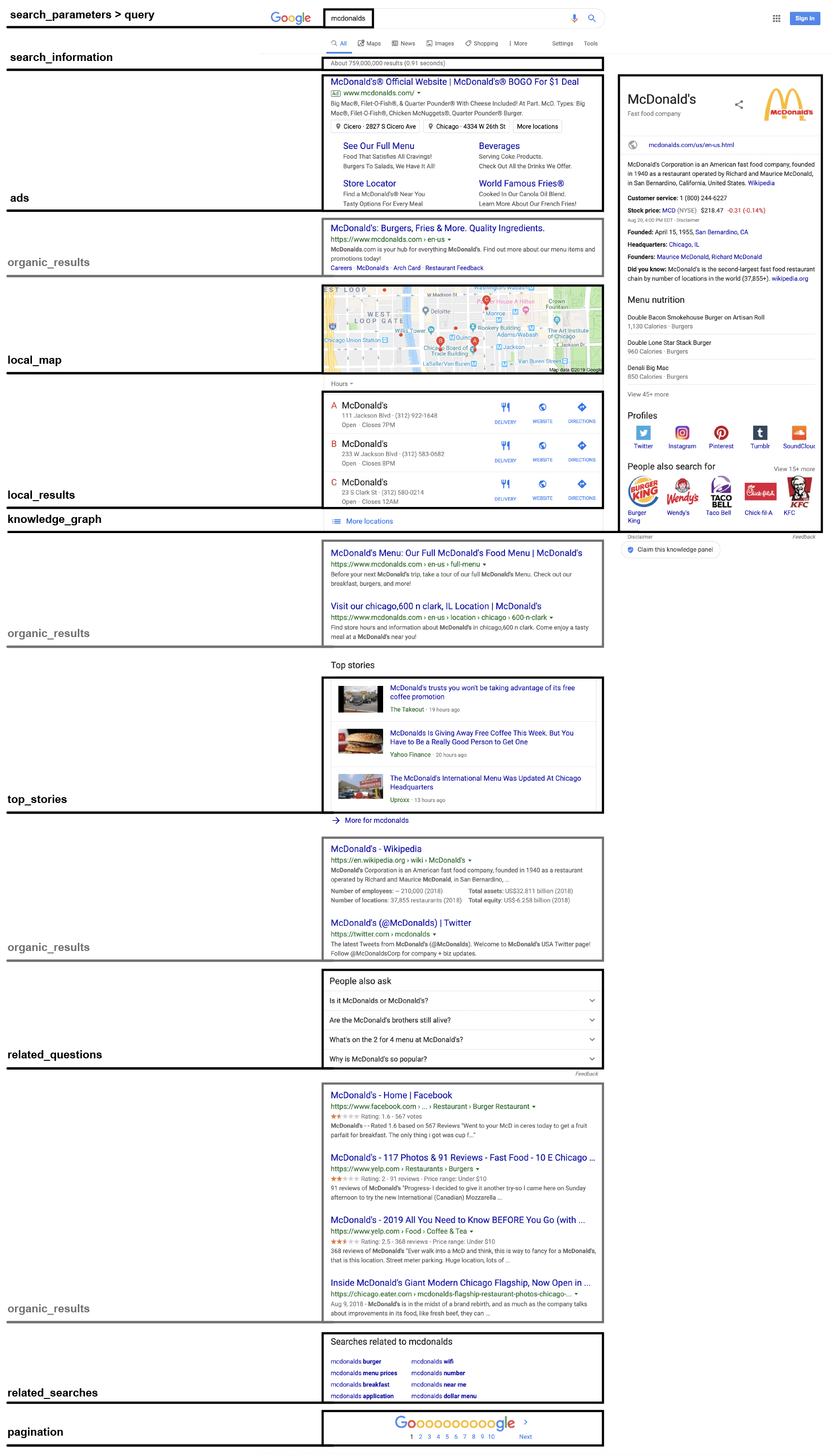
Your API response strongly depends on your search query and the parameters you choose to make use of. Find below a representative example API response, returned for the query mcdonalds and containing some of Google's key response objects. Each available response object will be explained further below in this section.
                                        {
  "request": {
     "success": true,
     "processed_timestamp": 1566207832,
     "search_url": "https://www.google.com/search?q=mcdonalds",
     "total_time_taken": 1.5,
  },
  "search_parameters": {
     "engine": "google",
     "query": "mcdonalds",
     "device": "desktop",
     "google_domain": "www.google.com",
     "hl": "en",
     "gl": "us",
     "page": "1",
     "num": "10",
  },
  "search_information": {
     "total_results": 1566207832,
     "time_taken_displayed": 0.91,
     "did_you_mean": null,
     "showing_results_for": null,
     "query_displayed": "mcdonalds",
     "detected_location": null,
     "no_results_for_original_query": false,
  },
  "ads": [
     {...}
  ],
  "organic_results": [
     {...}
  ],
  "local_results": [
     {...}
  ],
  ...
}
Basic Response Objects:
Object
Description
request > success
Returns true if your API request has succeeded.
request > processed_timestamp
Returns the exact UNIX timestamp for when your API request was processed by the API.
request > search_url
Returns the exact search URL used for your API request.
request > total_time_taken
Returns the total processing time of your API request.
search_parameters > engine
Returns the name of the search engine used for your API request. (Default: google)
search_parameters > query
Returns the requested search query.
search_parameters > device
Returns the name of the device type used for your API request.
search_parameters > google_domain
Returns the Google domain used for your API request.
search_parameters > hl
Returns the content of the hl parameter sent along with your API request.
search_parameters > gl
Returns the content of the gl parameter sent along with your API request.
search_parameters > page
Returns the current page number as an integer.
search_parameters > num
Returns the specified numbers of results per page as an integer. (Default: 10)
search_parameters > location
Returns the location sent along with your API request.
search_information > total_results
Returns the total number of results found for your search query.
search_information > time_taken_displayed
Returns the total processing time displayed by the search engine.
search_information > did_you_mean
Returns a "did you mean" search term suggestion if Google detects a typo, misspelling or error in your query.
search_information > showing_results_for
Returns the actual search term Google is showing results for. (Only applicable if Google detects a typo, misspelling or error in the query you sent and knows better)
search_information > query_displayed
Returns the query displayed by the search engine.
search_information > detected_location
Returns the location name Google is displaying in the search results page footer. This response object offers a good way of making sure that your specified location is actually detected by Google.
search_information > no_results_for_original_query
Returns true or false depending on whether or not Google is showing results for a different search term than sent in your query. Example: If your query is mcdonalsd, Google would detect a typo and instead show results for mcdonalds. In this case, the no_results_for_original_query would return true.
Ad Results
If Google returns any sponsored ads for your search query, the API response will come with an ads object, which contains all ads in the order they are shown in the search result. Ads can be shown either at the top or at the bottom of the search result.
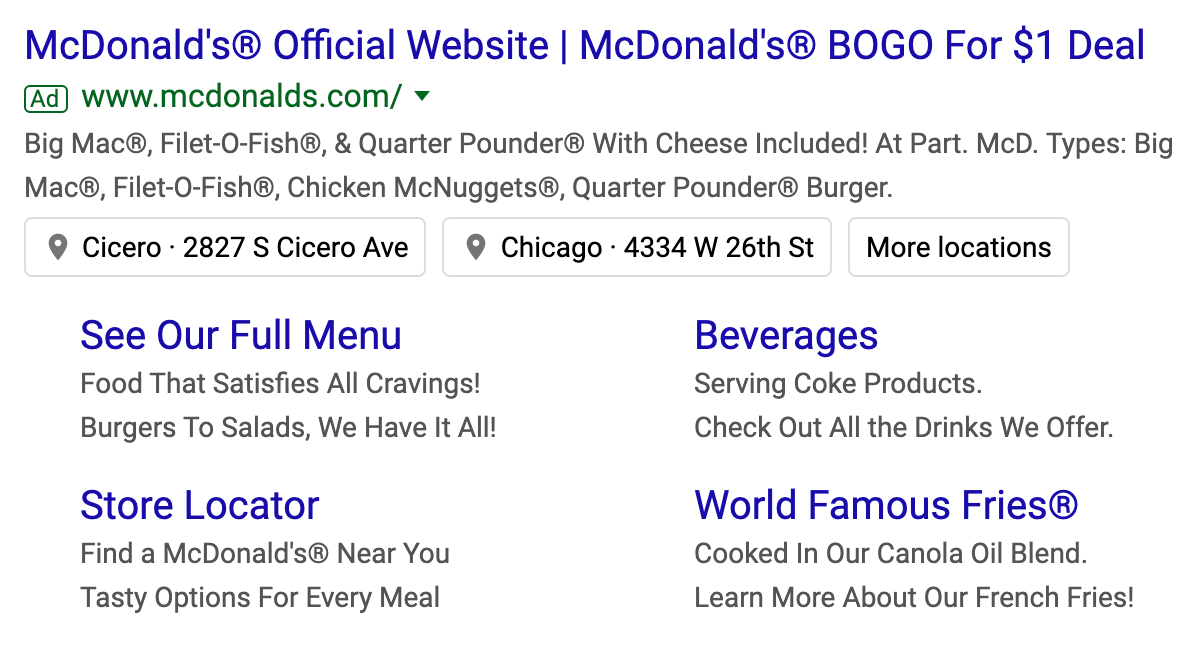
                                    "ads": [
  {
      "position": 1,
      "title": "McDonald's® Official Website | McDonald's® BOGO For $1 Deal",
      "url": "https://www.mcdonalds.com/us/en-us.html",
      "tracking_url": "https://www.google.com/aclk?sa=l&ai=DChcSEwigxKaC9JPkAhXNH60GHUCAA7IYABAAGgJwdg&sig=AOD64_1jDZ28TbK4pwQUBZNbv5cwdPsm5g&q=&ved=2ahUKEwjJ15uC9JPkAhUPOq0KHah1CUkQ0Qx6BAgWEAE&adurl=",
      "displayed_url": "www.mcdonalds.com/",
      "domain": "www.mcdonalds.com",
      "description": "Big Mac®, Filet-O-Fish®, & Quarter Pounder® With Cheese Included! At Part. McD. Types: Big Mac®, Filet-O-Fish®, Chicken McNuggets®, Quarter Pounder® Burger.",
      "sitelinks": [
         {
            "title": "See Our Full Menu",
            "url": "https://www.mcdonalds.com/us/en-us/full-menu.html?cid=PS:GCM_Ret::Google::Sitelink:See_Our_Full_Menu",
            "tracking_url": "https://www.google.com/aclk?sa=l&ai=DChcSEwiS6uzsvo_lAhUDwN4KHWaOALgYABABGgJ3Yg&sig=AOD64_1U1t1ss0_scsodxE5soeiFKOFyvg&adurl=&q=",
         },
         {
            "title": "Beverages",
            "url": "https://www.mcdonalds.com/us/en-us/full-menu/drinks.html?cid=PS:GCM_Ret::Google::Sitelink:Beverages",
            "tracking_url": "https://www.google.com/aclk?sa=l&ai=DChcSEwiS6uzsvo_lAhUDwN4KHWaOALgYABADGgJ3Yg&sig=AOD64_0qeBqWt0QOOyPvWCnNWafVOb-xGA&adurl=&q=",
         },
         {
            "title": "See Our Full Menu",
            "url": "https://www.mcdonalds.com/us/en-us/restaurant-locator.html?cid=PS:GCM_Ret::Google::Sitelink:Store_Locator",
            "tracking_url": "https://www.google.com/aclk?sa=l&ai=DChcSEwiS6uzsvo_lAhUDwN4KHWaOALgYABACGgJ3Yg&sig=AOD64_3hS2gW7avP40cryoO8u9cha7Nuhg&adurl=&q=",
         },
         {
            "title": "See Our Full Menu",
            "url": "https://www.mcdonalds.com/us/en-us/product/small-french-fries.html?cid=PS:GCM_Ret::Google::Sitelink:World_Famous_Fries%C2%AE",
            "tracking_url": "https://www.google.com/aclk?sa=l&ai=DChcSEwiS6uzsvo_lAhUDwN4KHWaOALgYABAEGgJ3Yg&sig=AOD64_0yyTk2ixx4Wsnw70zlFhzlIEWmeA&adurl=&q=",
         },
      ]
  }
]
Basic Response Objects:
Object
Description
position
Indicates the position of the respective ad in the entire block of ads.
title
Returns the title of the ad.
url
Returns the actual URL of the ad.
tracking_url
Returns the Google tracking URL of the ad.
displayed_url
Returns the displayed URL of the ad.
description
Returns the description of the ad.
sitelinks
Returns an array of links attached at the bottom of the ad, including title, URL and tracking URL.
Organic Results
Organic search results are the main search results provided by Google and are determined by a series of factors, such as web traffic, back-links, social media presence, and much more. These results are parsed by the API in detail and returned as organic_results.
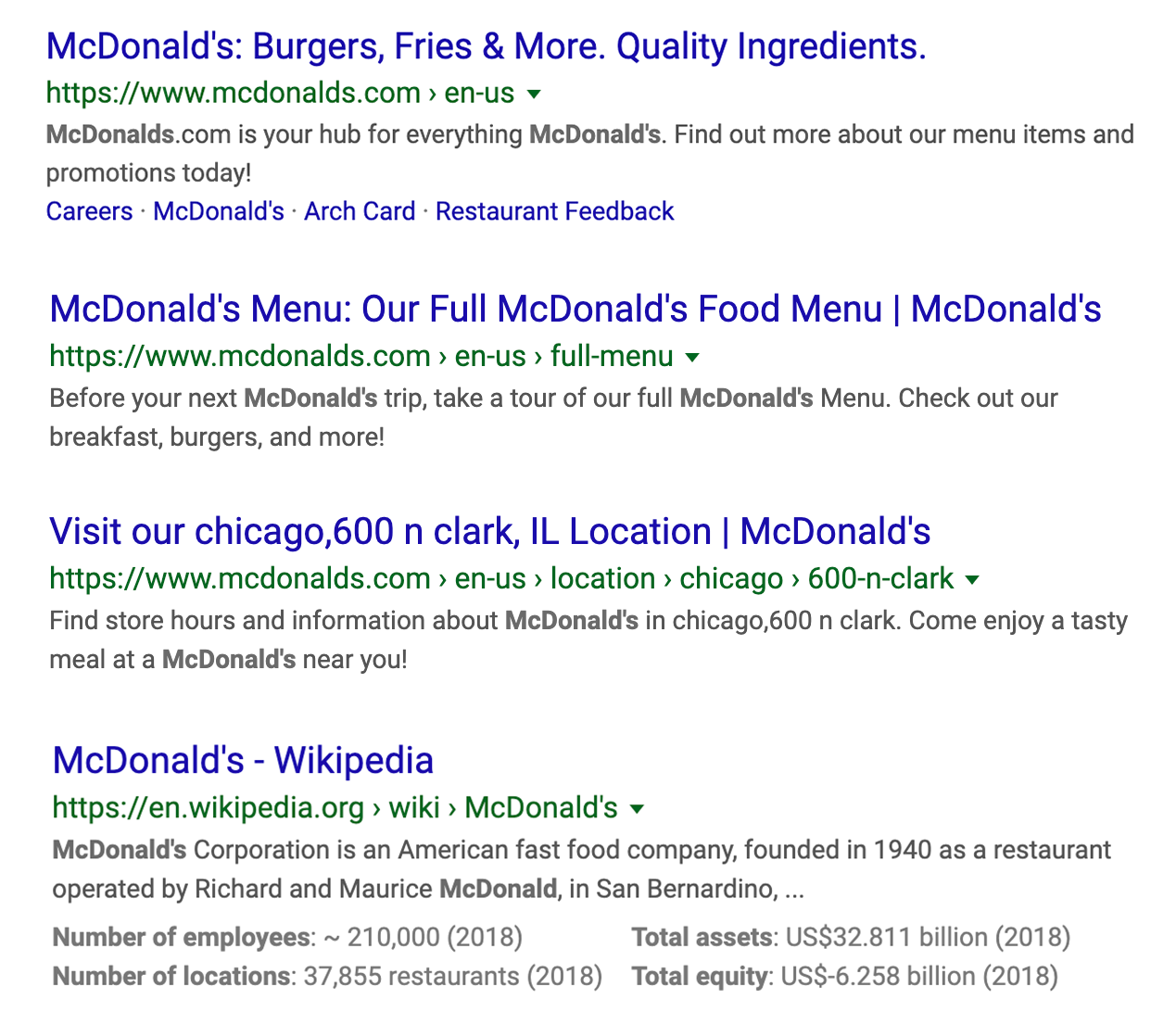
"organic_results": [
{
"position": 1,
"title": "McDonald's: Burgers, Fries & More. Quality Ingredients.",
"url": "https://www.mcdonalds.com/us/en-us.html",
"domain": "www.mcdonalds.com",
"displayed_url": "https://www.mcdonalds.com › en-us",
"snippet": "McDonalds.com is your hub for everything McDonald's. Find out more about our menu items and promotions today!",
"rich_snippet": null,
"sitelinks": {
"inline": [
{
"title": "Careers",
"url": "https://www.mcdonalds.com/us/en-us/careers.html",
},
{
"title": "McDonald's",
"url": "https://www.mcdonalds.com/us/en-us/contact-us.html",
},
{
"title": "Arch Card",
"url": "https://www.mcdonalds.com/us/en-us/services/arch-card.html",
},
{
"title": "Restaurant Feedback",
"url": "https://www.mcdonalds.com/us/en-us/contact-us/restaurant-feedback.html",
},
]
},
"cached_page_url": "https://webcache.googleusercontent.com/search?q=cache:MkoRvNGAywMJ:https://www.mcdonalds.com/us/en-us.html+&cd=1&hl=en&ct=clnk&gl=us"
},
{
"position": 2,
"title": "McDonald's Menu: Our Full McDonald's Food Menu | McDonald's",
"url": "https://www.mcdonalds.com/us/en-us/full-menu.html",
"displayed_url": "https://www.mcdonalds.com › en-us › full-menu",
"snippet": "Before your next McDonald's trip, take a tour of our full McDonald's Menu. Check out our breakfast, burgers, and more!",
"cached_page_url": "https://webcache.googleusercontent.com/search?q=cache:uCSdBxeNmPEJ:https://www.mcdonalds.com/us/en-us/full-menu.html+&cd=5&hl=en&ct=clnk&gl=us"
},
{
"position": 3,
"title": "Visit our chicago,600 n clark, IL Location | McDonald's",
"url": "https://www.mcdonalds.com/us/en-us/location/il/chicago/600-n-clark/6676.html?cid=RF:YXT:GMB::Clicks",
"displayed_url": "https://www.mcdonalds.com › en-us › location › chicago › 600-n-clark",
"snippet": "Find store hours and information about McDonald's in chicago,600 n clark. Come enjoy a tasty meal at a McDonald's near you!",
"cached_page_url": "https://webcache.googleusercontent.com/search?q=cache:TIEsMb2GbvkJ:https://www.mcdonalds.com/us/en-us/location/il/chicago/600-n-clark/6676.html%3Fcid%3DRF:YXT:GMB::Clicks+&cd=6&hl=en&ct=clnk&gl=us"
},
{
"position": 4,
"title": "McDonald's - Wikipedia",
"url": "https://en.wikipedia.org/wiki/McDonald%27s",
"displayed_url": "https://en.wikipedia.org › wiki › McDonald's",
"snippet": "McDonald's Corporation is an American fast food company, founded in 1940 as a restaurant operated by Richard and Maurice McDonald, in San Bernardino, ...",
"rich_snippet": {
"bottom": {
"detected_extensions": {
"number_of_employees": 210000,
"total_assets_us_billion": 32811,
"number_of_locations_restaurants": 37855,
"total_equity_us_billion": 6258,
},
"extensions": [
"Number of employees: ~ 210,000 (2018)",
"Total assets: US$32.811 billion (2018)",
"Number of locations: 37,855 restaurants (2018)",
"Total equity: US$-6.258 billion (2018)",
],
}
},
"cached_page_url": "https://webcache.googleusercontent.com/search?q=cache:tg3qNrQIjRwJ:https://en.wikipedia.org/wiki/McDonald%2527s+&cd=10&hl=en&ct=clnk&gl=us"
},
]
Basic Response Objects:
Object
Description
position
Returns the position of the current organic result in the entire search result.
title
Returns the title of the organic result.
url
Returns the actual URL of the organic result.
domain
Returns the domain of the organic result.
displayed_url
Returns the displayed URL of the organic result.
snippet
Returns the description of the organic result.
sitelinks
Returns all sitelinks attached at the bottom of the organic result, either as inline results (small sitelinks in a row) or expanded results (larger sitelinks below and next to each other).
cached_page_url
Returns a Google URL leading to the current organic result as a cached web page.
rich_snippet
Returns an array of data related to the current organic result's rich snippet, which usually contains ratings, prices, availability or additional product details.
rich_snippet > top / bottom
Returns top or bottom depending on where the rich snippet is located.
rich_snippet > detected_extensions
Returns an array of rich snippet details the API was able to identify (e.g. number of employees).
rich_snippet > extensions
Returns an array containing all rich snippet details as key-value pairs.
Inline Images
When doing a standard web search and images are provided by Google within the search results, these images are returned by the API within an inline_images array.
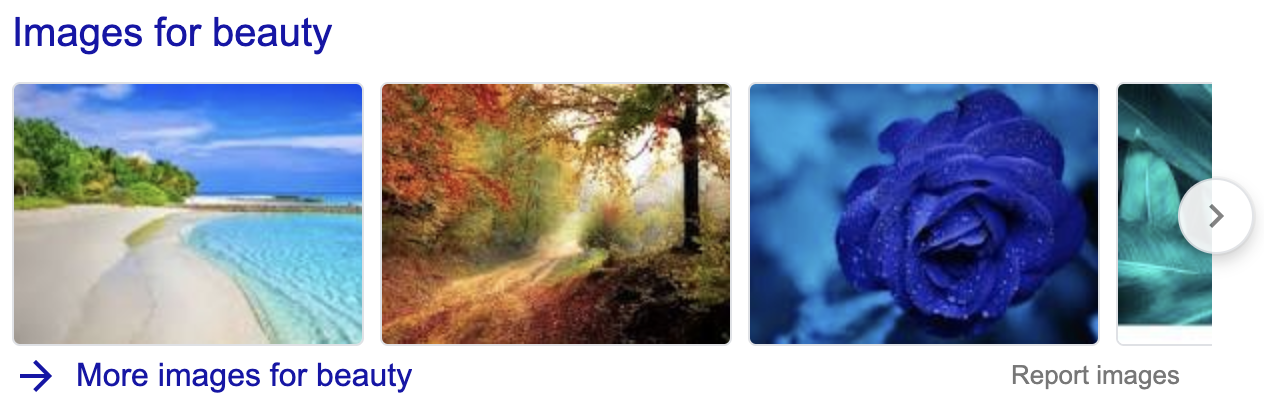
                                    "inline_images": [
   {
      "image_url": "https://test1.serptojsonapi.com/storage/search/images/528d117d9059f46063e7857ca2d12eabe0e1b437.jpg",
      "url": "https://www.pexels.com/search/nature/",
      "title": "Image result for beauty",
   },
   {
      "image_url": "https://test1.serptojsonapi.com/storage/search/images/f40984c1faaab1428a80716e477f8ba2e4044155.jpg",
      "url": "https://pixabay.com/images/search/nature/",
      "title": "Image result for beauty",
   },
   {
      "image_url": "https://test1.serptojsonapi.com/storage/search/images/ae51618c4f2dba2cd19f01d301355600a737f471.jpg",
      "url": "https://www.pexels.com/search/beauty/",
      "title": "Image result for beauty",
   },
   {
      "image_url": "https://test1.serptojsonapi.com/storage/search/images/d11a02b72882ddd0502a6e3d68d928afdf995bef.jpg",
      "url": "https://www.shutterstock.com/category/nature",
      "title": "Image result for beauty",
   },
]
Basic Response Objects:
Object
Description
image_url
Returns the URL leading to the inline image.
url
Returns the website URL associated with the inline image.
title
Returns the title of the inline image.
Inline Videos
When doing a standard web search and videos are provided by Google within the search results, these videos are returned by the API within an inline_videos array.
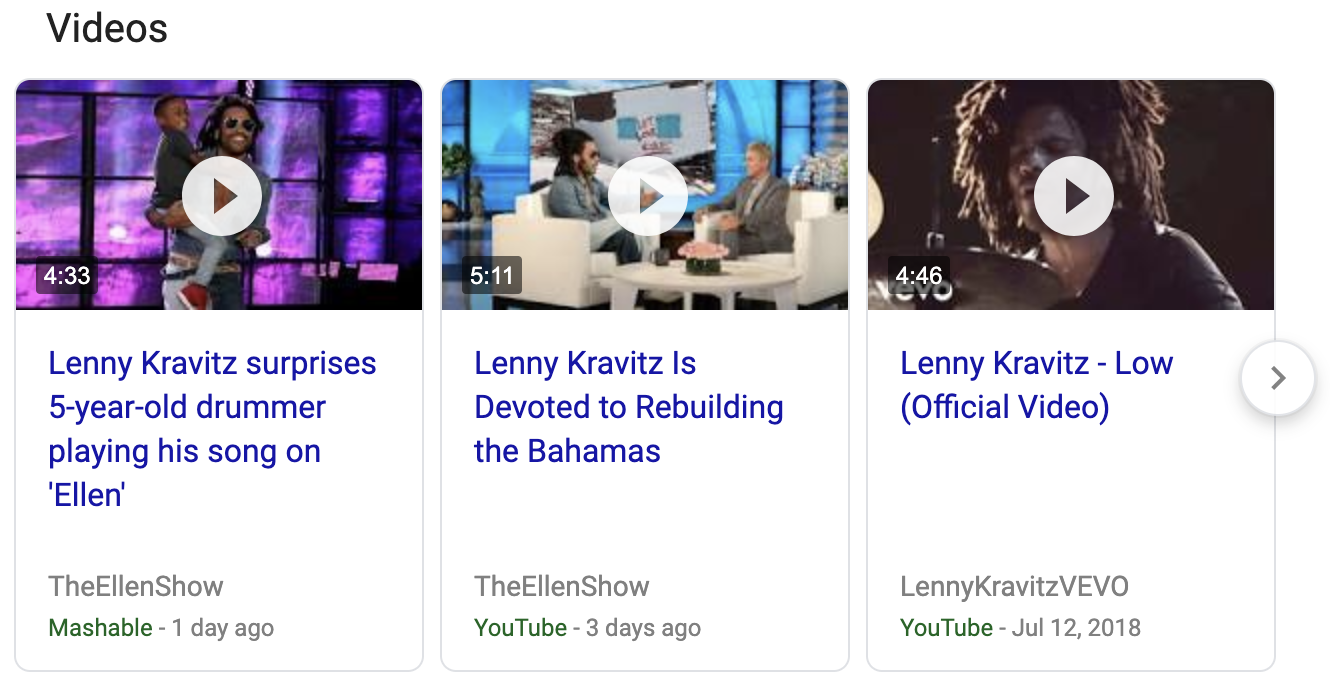
                                    "inline_videos": [
   {
      "title": "Lenny Kravitz surprises 5-year-old drummer playing his song on 'Ellen'",
      "url": "https://mashable.com/video/kid-drummer-ellen-lenny-kravitz/",
      "length": "4:33",
      "source": "Mashable",
      "uploaded": "1 day ago",
   },
   {
      "title": "Lenny Kravitz Is Devoted to Rebuilding the Bahamas",
      "url": "https://www.youtube.com/watch?v=Qz5UgodKjDE",
      "length": "5:11",
      "source": "YouTube",
      "uploaded": "3 days ago",
   },
   {
      "title": "Lenny Kravitz - Low (Official Video)",
      "url": "https://www.youtube.com/watch?v=BilaShsQphM",
      "length": "4:46",
      "source": "YouTube",
      "uploaded": "Jul 12, 2018",
   }
]
Basic Response Objects:
Object
Description
title
Returns the title of the inline video result.
url
Returns the URL of the inline video result.
length
Returns the video duration of the inline video result.
source
Returns source name of the inline video result.
uploaded
Returns the upload date of the inline video result.
Inline Shopping
When doing a standard web search and shopping items are provided by Google within search results, these items are returned by the API in an inline_shopping array.
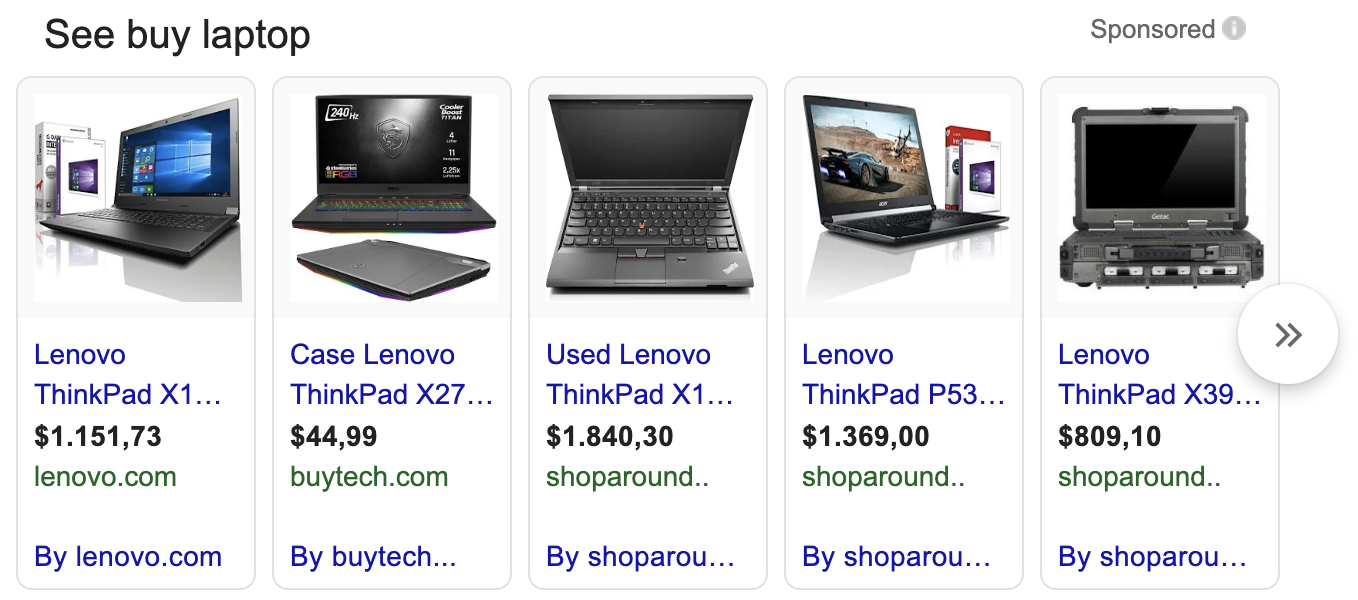
                                    "inline_shopping": [
   {
      "position": 1,
      "url": "https://www.lenovo.com/at/de/laptops/thinkpad/x-series/X1-Carbon-Gen-7/p/22TP2TXX17G",
      "title": "Lenovo ThinkPad X1 Carbon Gen 5 Laptop - 14\" - Intel Core i5 Processor (2.30GHz) - 512GB SSD - 8GB RAM",
      "price": "$1.151,73",
      "merchant": "lenovo.com",
      "rating": null,
      "reviews": null,
   },
   {
      "position": 2,
      "url": "https://buytech.com/us/en/accessories-and-monitors/cases-and-bags/c/cases-and-bags",
      "title": "Case Lenovo ThinkPad X270 Laptop - 12.5\" - Intel Core i5 Processor (2.40GHz) - 256GB SSD - 8GB RAM",
      "price": "$44,99",
      "merchant": "buytech.com",
      "rating": null,
      "reviews": null,
   },
   {
      "position": 3,
      "url": "https://www.shoparound.com/show/14317/lenovo-thinkpad-x1-carbon-14inch-amd-pro",
      "title": "Used Lenovo ThinkPad X1 Carbon (7th Gen) 20QD 14″ Ultrabook - Core i7 8565U 1.8 GHz - 16 GB RAM - 256 GB SSD - Black Paint",
      "price": "$1.840,30",
      "merchant": "shoparound",
      "rating": null,
      "reviews": null,
   },
   {
      "position": 4,
      "url": "https://www.shoparound.com/show/14317/lenovo-thinkpad-p53s-15inch-amd-pro",
      "title": "Lenovo ThinkPad P53s - 15.6\" - Intel Core i7 Processor (1.90GHz) - 512GB SSD - 16GB RAM",
      "price": "$1.369,00",
      "merchant": "shoparound",
      "rating": null,
      "reviews": null,
   },
   {
      "position": 5,
      "url": "https://www.shoparound.com/show/14317/lenovo-thinkpad-p53s-15inch-amd-pro",
      "title": "Lenovo ThinkPad P53s - 15.6\" - Intel Core i7 Processor (1.90GHz) - 512GB SSD - 16GB RAM",
      "price": "$1.369,00",
      "merchant": "shoparound",
      "rating": null,
      "reviews": null,
   },
]
Basic Response Objects:
Object
Description
position
Returns the position of the inline shopping result as an integer in relation to the entire inline shopping list.
url
Returns the URL of the inline shopping result.
title
Returns the title of the inline shopping result.
price
Returns the price associated with the inline shopping result.
merchant
Returns the merchant name associated with the inline shopping result.
rating
Returns a rating associated with the shopping result.
reviews
Returns an integer indicating the number of reviews associated with the shopping result.
Inline Tweets
If there are any Tweets relevant to your search query, Google will include them in your search result. The SERPTOJSONAPI will return inline Tweet results as an inline_tweets array.
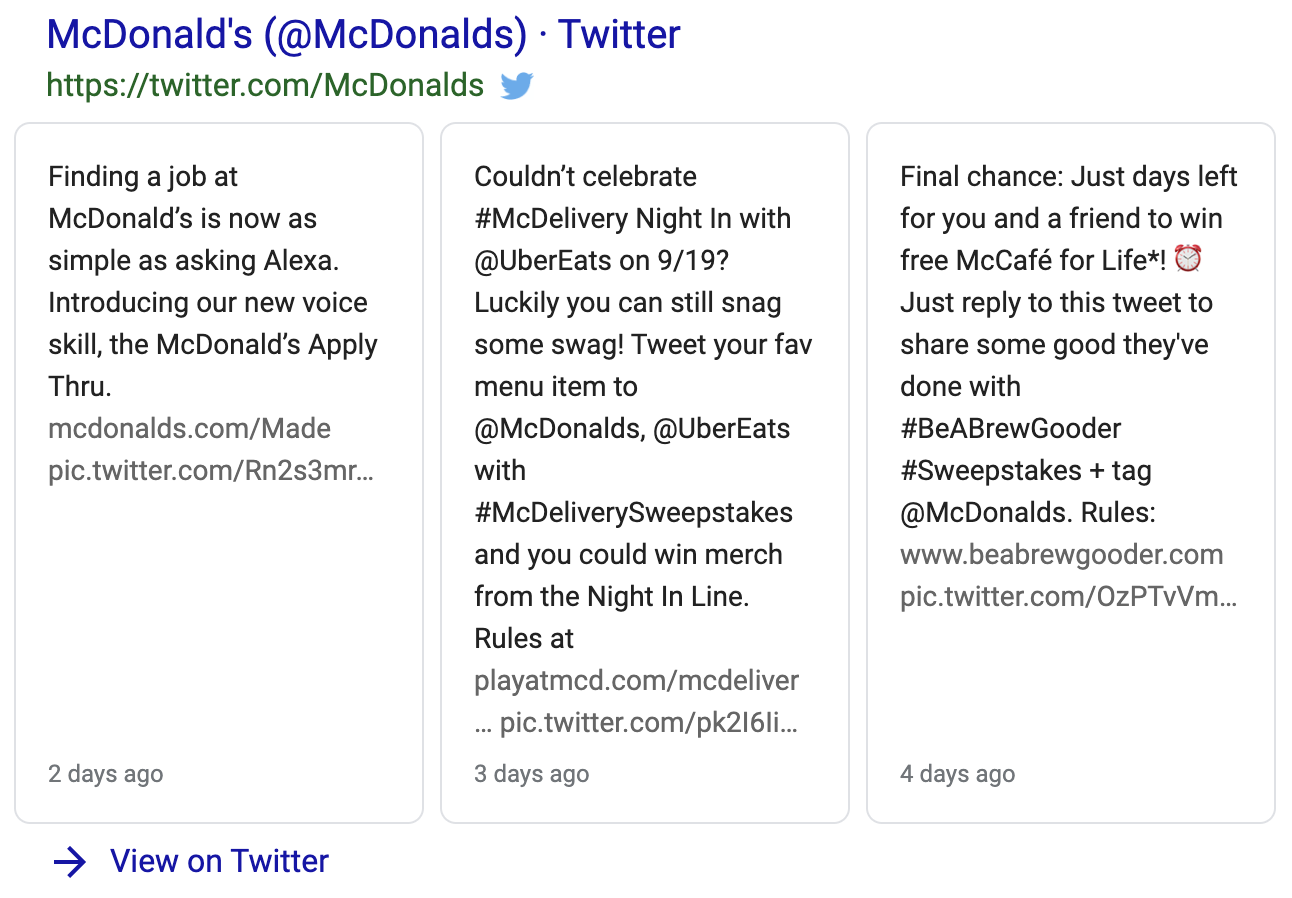
Response Objects:
Object
Description
url
Returns the URL associated with the given inline Tweet.
title
Returns the title of the given inline Tweet.
date
Returns the date the given inline Tweet was published.
description
Returns the content of the given inline Tweet.
Local Results
For many searches Google returns both a local map and a series of local results below. These items are returned together in almost 100% of all cases. The API will return local map details as local_map and local results as local_results.
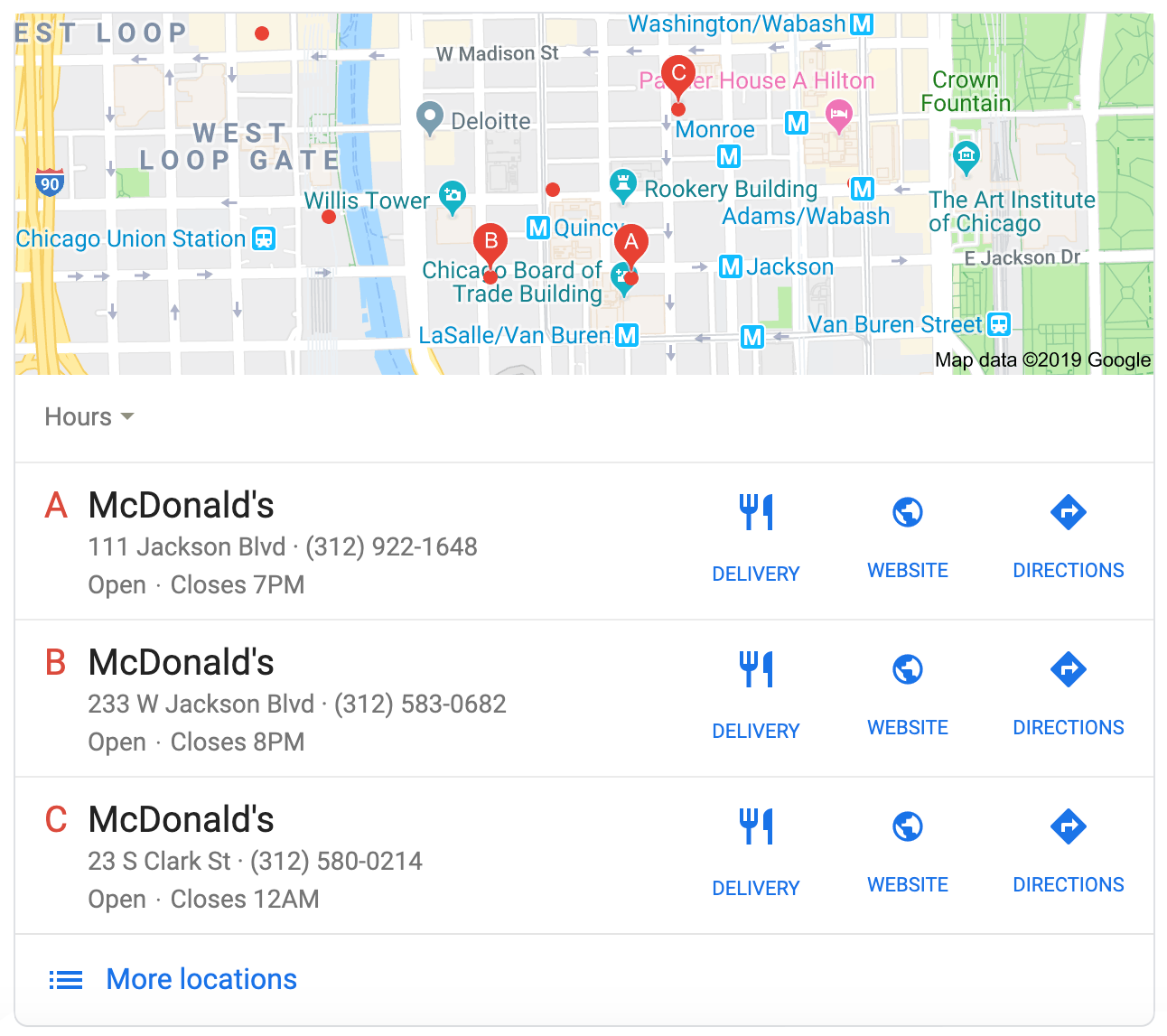
                                    "local_map": {
   "url": "https://www.google.com/search?q=mcdonalds&npsic=0&rflfq=1&rldoc=1&rlha=0&rllag=41879445,-87632787,247&tbm=lcl&sa=X&ved=2ahUKEwjJ15uC9JPkAhUPOq0KHah1CUkQtgN6BAgKEAQ",
   "coordinates": {
      "latitude": 41.879445,
      "longitude": -87.632787
   },
   "image_url": "https://www.google.com/data:image/gif;base64,R0lGODlhAQABAIAAAP///////yH5BAEKAAEALAAAAAABAAEAAAICTAEAOw==",
},
"local_results": [
   {
      "position": 1,
      "title": "McDonald's",
      "image_url": null,
      "address": "111 Jackson Blvd",
      "extensions": null,
      "rating": null,
      "reviews": null,
      "type": "(312) 922-1648",
      "price": null,
      "url": "http://www.mcdonalds.com/",
   },
   {
      "position": 2,
      "title": "McDonald's",
      "image_url": null,
      "address": "233 W Jackson Blvd",
      "extensions": null,
      "rating": null,
      "reviews": null,
      "type": "(312) 922-1648",
      "price": null,
      "url": "https://www.mcdonalds.com/us/en-us/location/IL/CHICAGO/233-W-JACKSON/26364.html?cid=RF:YXT:GMB::Clicks",
   },
   {
      "position": 3,
      "title": "McDonald's",
      "image_url": null,
      "address": "23 S Clark St",
      "extensions": null,
      "rating": null,
      "reviews": null,
      "type": "(312) 580-0214",
      "price": null,
      "url": "https://www.mcdonalds.com/us/en-us/location/IL/CHICAGO/23-S-CLARK/31049.html?cid=RF:YXT:GMB::Clicks",
   },
]
local_map Response Objects:
Object
Description
url
Returns the URL of the local map result.
coordinates > latitude
Returns the latitude coordinate associated with the local map result.
coordinates > longitude
Returns the longitude coordinate associated with the local map result.
image_url
Returns a URL leading to the image of the local map result.
local_results Response Objects:
Object
Description
position
Returns the position of the local result in the local results block.
title
Returns the title of the local result.
image_url
Returns the image URL associated with the local result.
address
Returns the address associated with the local result.
extensions
Returns an array of additional data associated with the local result.
rating
Returns a rating associated with the local result.
reviews
Returns an integer indicating the number of reviews associated with the local result.
type
Returns any type of detail about the local result. (Example: phone number or opening hours)
price
Returns a price associated with the local result.
url
Returns the website URL associated with the local result.
Answer Box
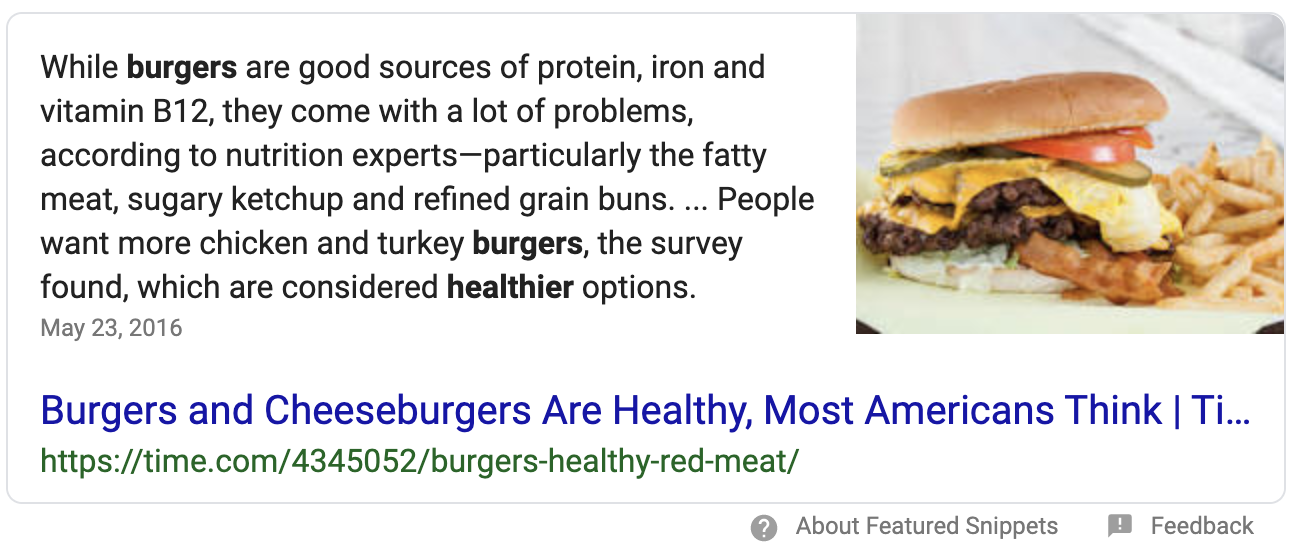
Google is capable of providing a large variety of direct answers to questions, from simple questions all the way to solutions of complicated mathematical formulas. The
SERPTOJSONAPI is able to parse all of the most common formats, of which two are explained below. Answers to questions of all types will be returned by the API as an answer_box array. Please note that the answers array can contain multiple answers.
Example 1: Simple Answer
Below you will find an example API response for a simple question answered by Google.
                                    "answer_box": {
   "answers": [
      {
         "answer": "While burgers are good sources of protein, iron and vitamin B12, they come with a lot of problems, according to nutrition experts—particularly the fatty meat, sugary ketchup and refined grain buns. ... People want more chicken and turkey burgers, the survey found, which are considered healthier options.",
         "source": {
            "title": "Burgers and Cheeseburgers Are Healthy, Most Americans Think | Time",
            "url": "https://time.com/4345052/burgers-healthy-red-meat/",
         },
         "image_urls": [
            "https://test1.serptojsonapi.com/storage/search/images/ae51618c4f2dba2cd19f01d301355600a737f471.jpg"
         ]
      }
   ]
}
Response Objects:
Object
Description
answer
Returns the answer text.
source > title
Returns the title of the answer box.
source > url
Returns the actual origin URL leading to the source of the answer.
image_urls
Returns an array of image URLs associated with the answer box.
Example 2: Calculator Result
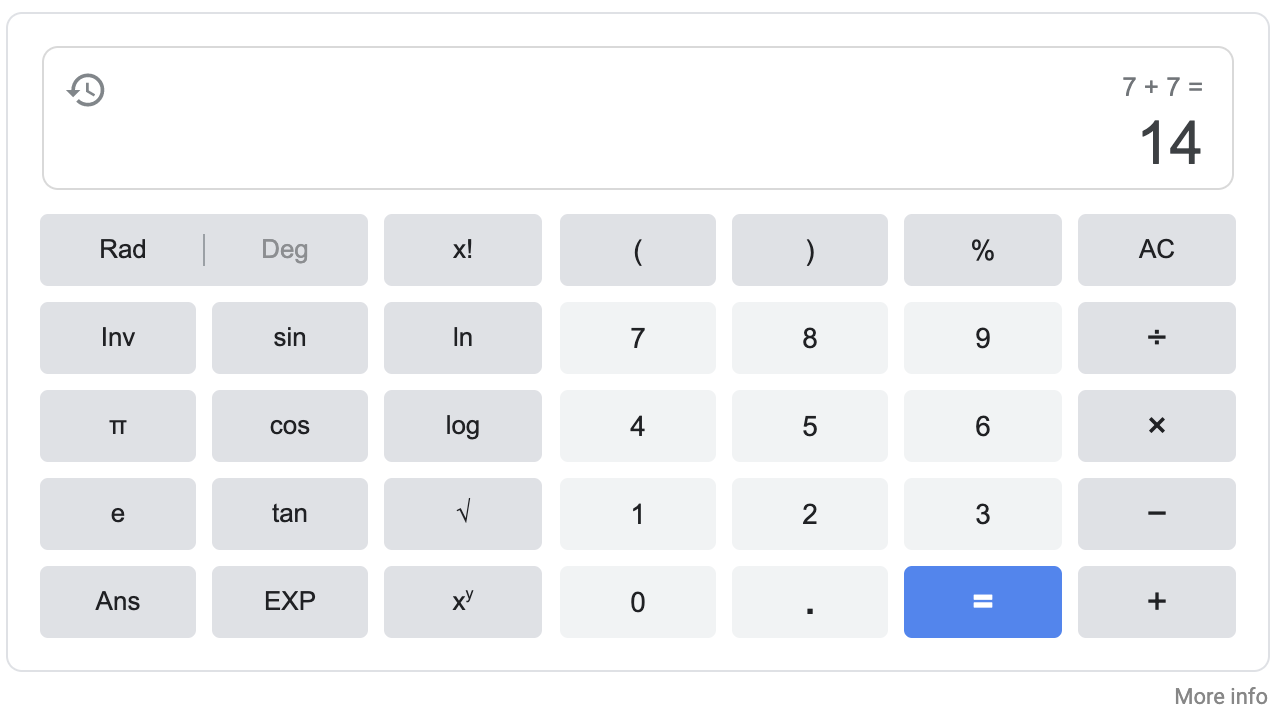
Below you will find an example API response for a question Google answers using the calculator.
                                    "answer_box": {
   "answers": [
      {
         "answer": 14,
         "type": "calculator",
         "formula": "7 + 7 ="
      }
   ]
}
Response Objects:
Object
Description
answer
Returns the calculation result.
type
Returns the type of answer provided by Google.
formula
Returns the formula contained in the original query.
Weather Box
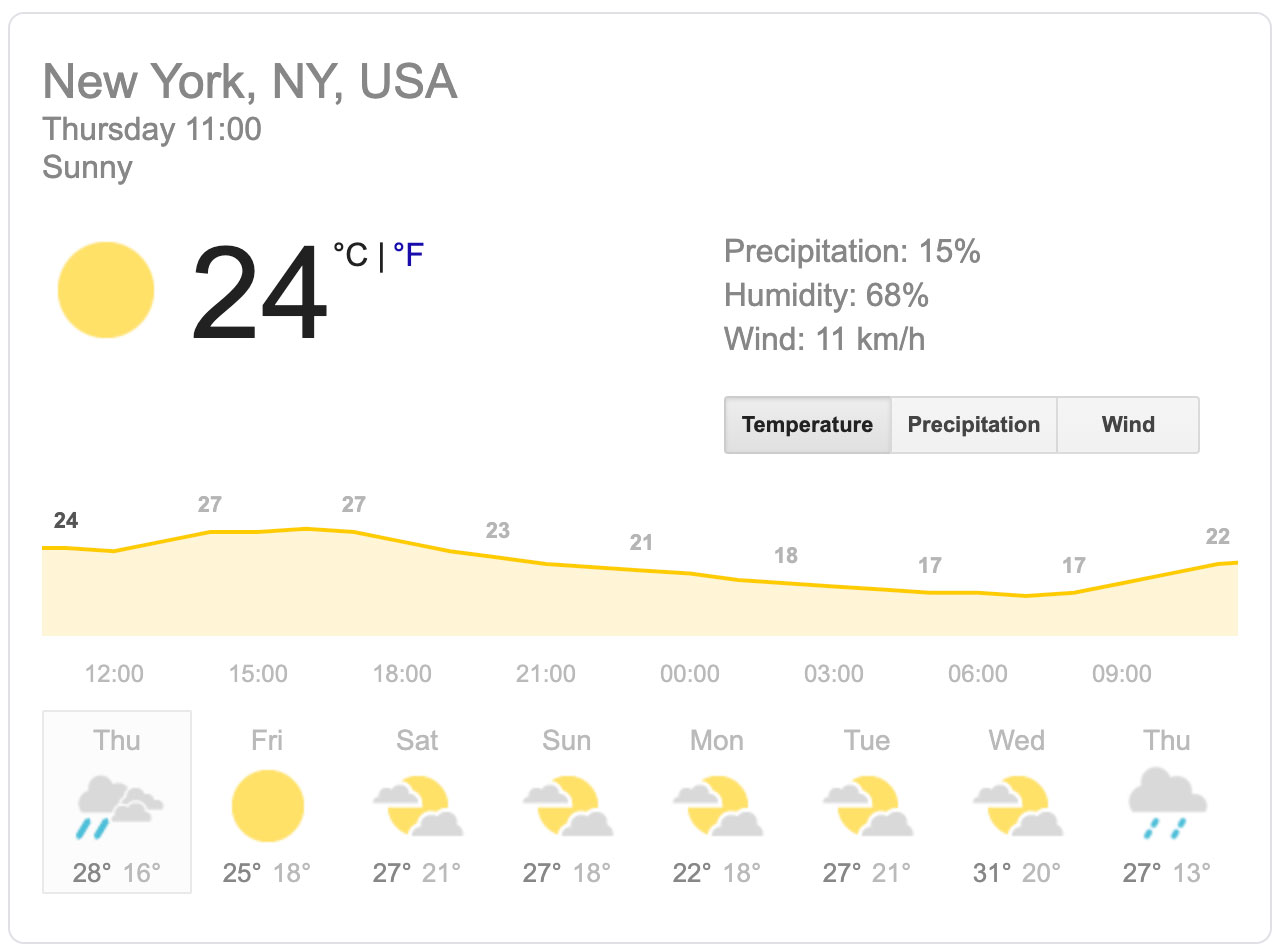
If your Google search query is related to the weather in a specific location, Google will return weather information as an object called weather_box. This object contains details about current and future weather conditions in the given location.
                                    "weather_box": {
   "location": "New York, NY, USA",
   "time": "Thursday, 11:00 am",
   "description": "Sunny",
   "current": {
      "weather_image": "https://ssl.gstatic.com/onebox/weather/64/sunny.png",
      "precipitation": {
          "display": "15%",
          "unit": "%",
          "value": 15,
      },
      "humidity": {
          "display": "68%",
          "unit": "%",
          "value": 68,
      },
      "temperature": [
          {
             "display": "76°F",
             "unit": "fahrenheit",
             "value": 76,
          },
          {
             "display": "24°C",
             "unit": "celsius",
             "value": 24,
          }
      ],
      "wind": [
          {
             "display": "11 km/h",
             "unit": "km/h",
             "value": 11,
          },
          {
             "display": "7 mph",
             "unit": "mph",
             "value": 7,
          }
      ],
   },
   "forecast": [
      {
          "day": "Thu",
          "description": "Scattered Thunderstorms",
          "weather_image": "https://ssl.gstatic.com/onebox/weather/48/rain_s_cloudy.png",
          "temperature": [
             {
                "display": "83°F",
                "type": "high",
                "unit": "fahrenheit",
                "value": 83,
             },
             {
                "display": "60°F",
                "type": "low",
                "unit": "fahrenheit",
                "value": 60,
             },
             {
                "display": "28°C",
                "type": "high",
                "unit": "celsius",
                "value": 28,
             },
             {
                "display": "16°C",
                "type": "low",
                "unit": "celsius",
                "value": 16,
             },
          ]
      },
      {
          "day": "Fri",
          "description": "Sunny",
          "weather_image": "https://ssl.gstatic.com/onebox/weather/48/sunny.png",
          "temperature": [
             {
                "display": "77°F",
                "type": "high",
                "unit": "fahrenheit",
                "value": 77,
             },
             {
                "display": "64°F",
                "type": "low",
                "unit": "fahrenheit",
                "value": 64,
             },
             {
                "display": "25°C",
                "type": "high",
                "unit": "celsius",
                "value": 25,
             },
             {
                "display": "18°C",
                "type": "low",
                "unit": "celsius",
                "value": 18,
             },
          ]
      },
      {
          "day": "Sat",
          "description": "Mostly Sunny",
          "weather_image": "https://ssl.gstatic.com/onebox/weather/48/partly_cloudy.png",
          "temperature": [
             {
                "display": "81°F",
                "type": "high",
                "unit": "fahrenheit",
                "value": 81,
             },
             {
                "display": "70°F",
                "type": "low",
                "unit": "fahrenheit",
                "value": 70,
             },
             {
                "display": "27°C",
                "type": "high",
                "unit": "celsius",
                "value": 27,
             },
             {
                "display": "21°C",
                "type": "low",
                "unit": "celsius",
                "value": 21,
             },
          ]
      },
      {
          "day": "Sun",
          "description": "Mostly Sunny",
          "weather_image": "https://ssl.gstatic.com/onebox/weather/48/partly_cloudy.png",
          "temperature": [
             {
                "display": "81°F",
                "type": "high",
                "unit": "fahrenheit",
                "value": 81,
             },
             {
                "display": "64°F",
                "type": "low",
                "unit": "fahrenheit",
                "value": 64,
             },
             {
                "display": "27°C",
                "type": "high",
                "unit": "celsius",
                "value": 27,
             },
             {
                "display": "18°C",
                "type": "low",
                "unit": "celsius",
                "value": 18,
             },
          ]
      },
      {
          "day": "Mon",
          "description": "Mostly Sunny",
          "weather_image": "https://ssl.gstatic.com/onebox/weather/48/partly_cloudy.png",
          "temperature": [
             {
                "display": "71°F",
                "type": "high",
                "unit": "fahrenheit",
                "value": 71,
             },
             {
                "display": "64°F",
                "type": "low",
                "unit": "fahrenheit",
                "value": 64,
             },
             {
                "display": "22°C",
                "type": "high",
                "unit": "celsius",
                "value": 22,
             },
             {
                "display": "18°C",
                "type": "low",
                "unit": "celsius",
                "value": 18,
             },
          ]
      },
      {
          "day": "Tue",
          "description": "Mostly Sunny",
          "weather_image": "https://ssl.gstatic.com/onebox/weather/48/partly_cloudy.png",
          "temperature": [
             {
                "display": "80°F",
                "type": "high",
                "unit": "fahrenheit",
                "value": 80,
             },
             {
                "display": "69°F",
                "type": "low",
                "unit": "fahrenheit",
                "value": 69,
             },
             {
                "display": "27°C",
                "type": "high",
                "unit": "celsius",
                "value": 27,
             },
             {
                "display": "21°C",
                "type": "low",
                "unit": "celsius",
                "value": 21,
             },
          ]
      },
      {
          "day": "Wed",
          "description": "Mostly Sunny",
          "weather_image": "https://ssl.gstatic.com/onebox/weather/48/partly_cloudy.png",
          "temperature": [
             {
                "display": "88°F",
                "type": "high",
                "unit": "fahrenheit",
                "value": 88,
             },
             {
                "display": "68°F",
                "type": "low",
                "unit": "fahrenheit",
                "value": 68,
             },
             {
                "display": "31°C",
                "type": "high",
                "unit": "celsius",
                "value": 31,
             },
             {
                "display": "20°C",
                "type": "low",
                "unit": "celsius",
                "value": 20,
             },
          ]
      },
      {
          "day": "Thu",
          "description": "Showers",
          "weather_image": "https://ssl.gstatic.com/onebox/weather/48/rain_light.png",
          "temperature": [
             {
                "display": "80°F",
                "type": "high",
                "unit": "fahrenheit",
                "value": 80,
             },
             {
                "display": "56°F",
                "type": "low",
                "unit": "fahrenheit",
                "value": 56,
             },
             {
                "display": "27°C",
                "type": "high",
                "unit": "celsius",
                "value": 27,
             },
             {
                "display": "13°C",
                "type": "low",
                "unit": "celsius",
                "value": 13,
             },
          ]
      },
   ]
}
Response Objects:
Object
Description
location
Returns the location associated with the given weather information.
time
Returns the day and time associated with the current weather.
description
Returns a string that can be displayed to describe the current weather condition.
weather_image
Returns the a URL to a PNG image associated with the weather condition.
precipitation > display
Returns precipitation unit and value as a string to display.
precipitation > unit
Returns the precipitation unit as a string.
precipitation > value
Returns the precipitation value as an integer.
humidity > display
Returns humidity unit and value as a string to display.
humidity > unit
Returns the humidity unit as a string.
humidity > value
Returns the humidity value as an integer.
temperature > display
Returns temperature unit and value as a string to display. Unit can be celsius or fahrenheit.
temperature > unit
Returns the temperature unit as a string.
temperature > value
Returns the temperature value as an integer.
temperature > type
Returns the type of temperature returned. Only used in forecast data. Possible values: low or high
wind > display
Returns wind unit and value as a string to display. Unit can be km/h or mph.
wind > unit
Returns the wind unit as a string.
wind > value
Returns the wind value as an integer.
day
Returns the forecast day in 3-letter format. Example: Thu
Events
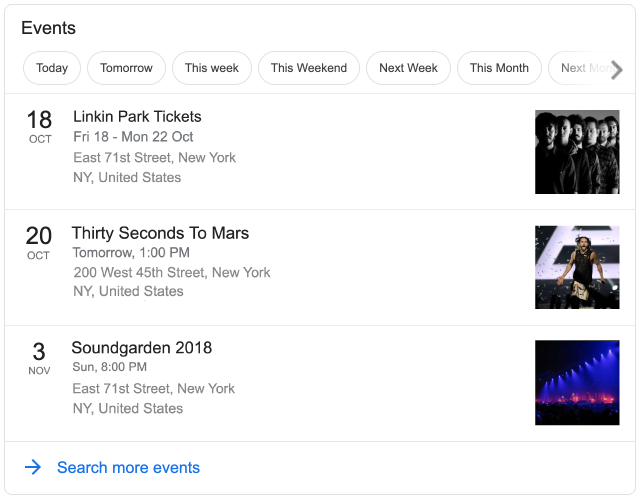
If there are any events relevant to your search query, Google will show a rich snippet containing event results. These results are returned by the
SERPTOJSONAPI as an events array.
Response Objects:
Object
Description
title
Returns the title of the event.
url
Returns a Google URL leading to details of the event.
date > day
Returns the day of the event as an integer.
date > month
Returns the month of the event as a string.
date > display
Returns the entire date as a string to display.
address > line1
Returns the first address line.
address > line2
Returns the second address line.
image_url
Returns a URL leading to the cached event image.
Top Carousel
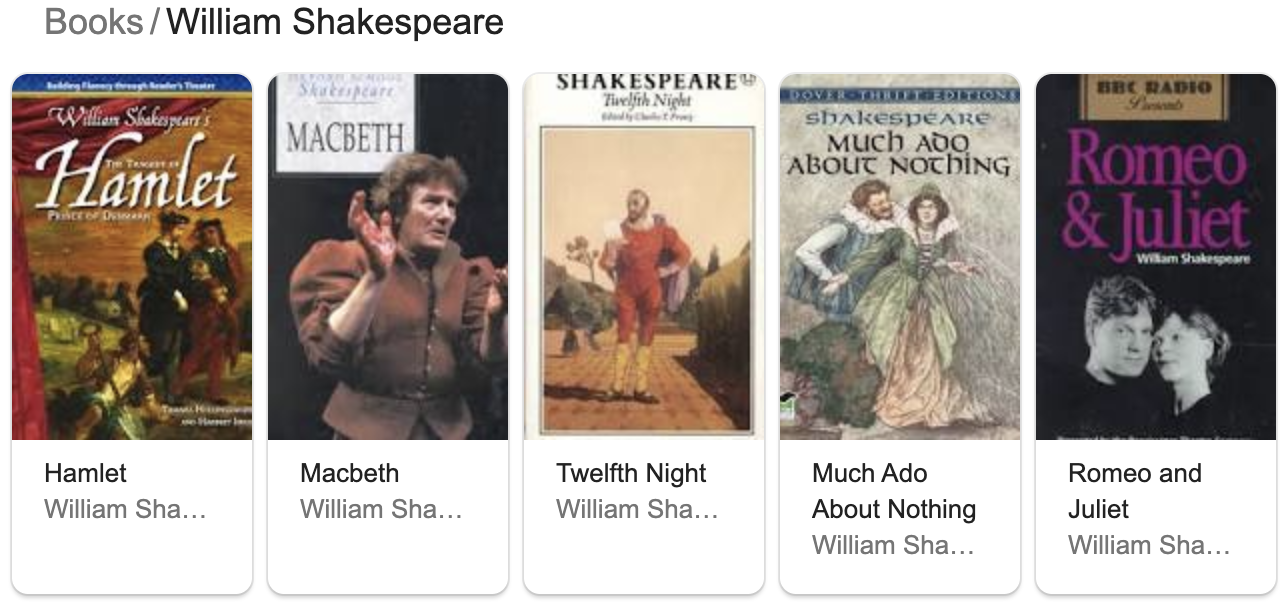
For some search queries, Google shows a horizontal list of results with images and descriptions at the top of the page. This list is returned by the API as a top_carousel array.
Response Objects:
Object
Description
topic
Returns the main topic for this top list of results.
sub_topic
Returns the sub-topic for this top list of results.
results > title
Returns the title of the given result.
results > url
Returns the Google URL of the given result.
results > image_url
Returns a URL leading to the image of the given result.
Top Stories
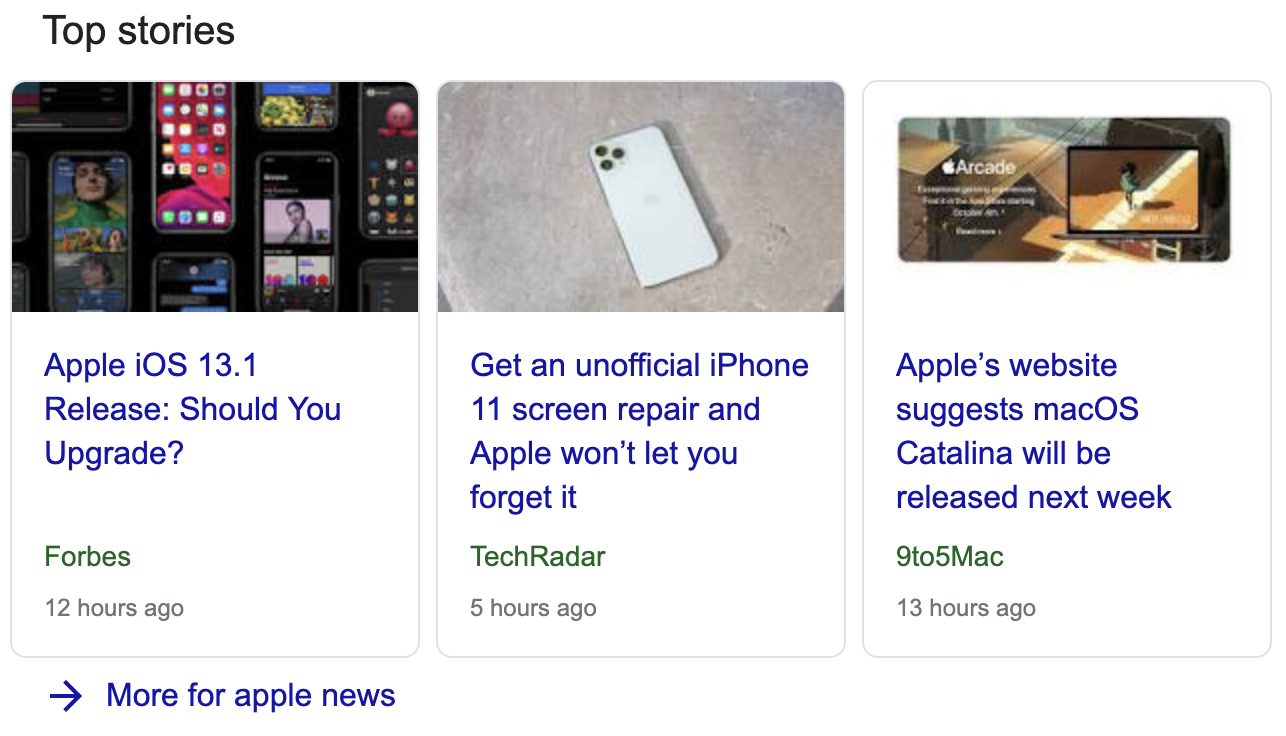
If there are any trending news stories relevant to your search query, Google will return those in a section called "Top Stories". This section is returned by the API as a top_stories array.
Response Objects:
Object
Description
url
Returns a URL to the given top story.
title
Returns the title of the given top story.
source
Returns source name of the given top story.
uploaded
Returns the upload date of the given story.
Knowledge Graph
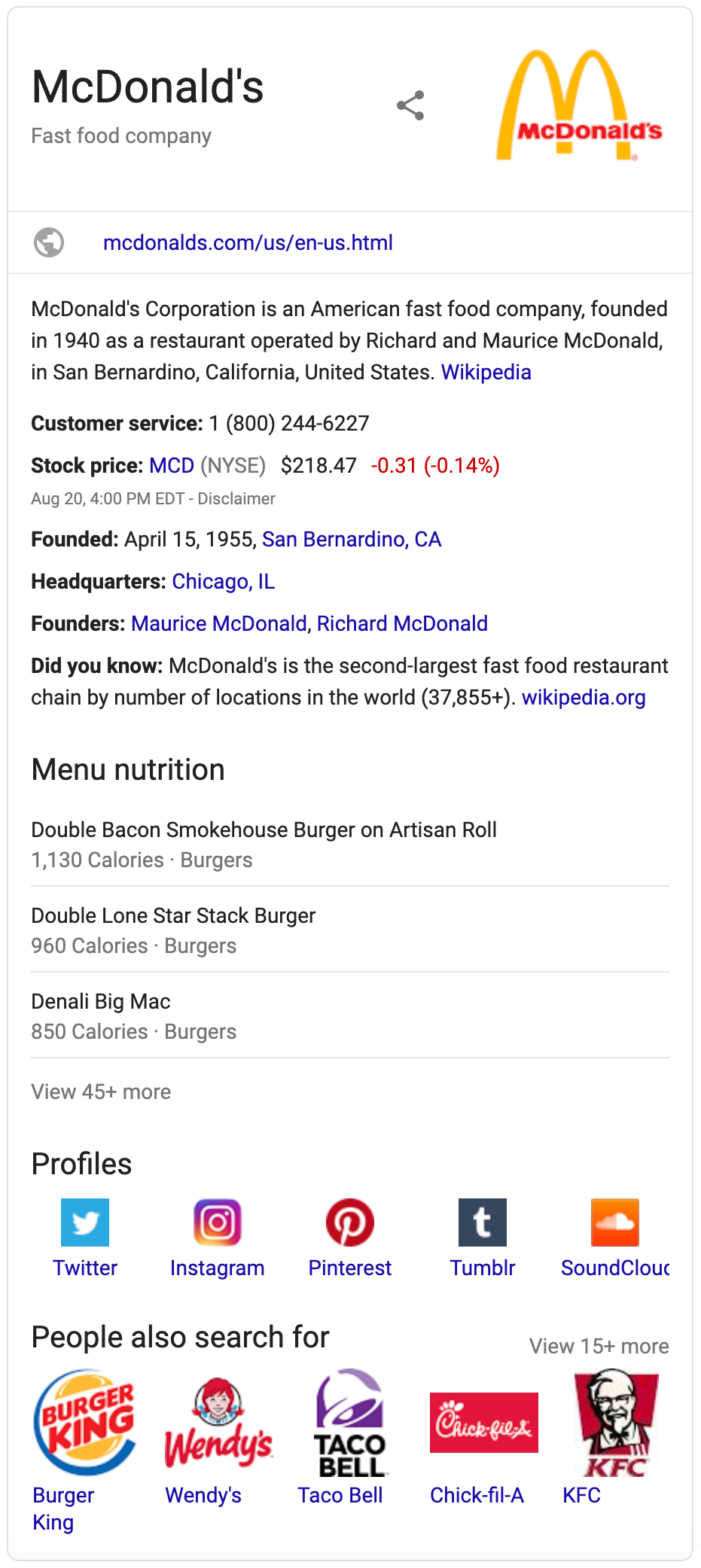
A Knowledge Graph is returned by Google whenever there is enough imformation about the search query from Google directly or from informational sources, such as Wikipedia. Knowledge Graphs will be returned in a knowledge_graph object by the API.
Response Objects:
Object
Description
title
Returns the title of the Knowledge Graph.
type
Returns any type of detail about the topic in the Knowledge Graph. (Example: Fast food company)
image_urls
Returns an array of image URLs leading to images associated with the Knowledge Graph.
description
Returns the description of the Knowledge Graph.
source > name
Returns the name of the source the information contained in the Knowledge Graph is sourced from.
source > url
Returns the URL of the source the information contained in the Knowledge Graph is sourced from.
website
Returns the website URL associated with the topic in the Knowledge Graph.
founded
Returns the date and location the company in the Knowledge Graph was founded in. (This is a response object specific to company information and is not always returned.)
headquarters
Returns the address of the headquarters of the company in the Knowledge Graph. (This is a response object specific to company information and is not always returned.)
founders
Returns an array of names of founders of the company in the Knowledge Graph. (This is a response object specific to company information and is not always returned.)
subsidiaries
Returns an array of names and URLs of subsidiaries of the company in the Knowledge Graph. (This is a response object specific to company information and is not always returned.)
did_you_know
Returns an additional information text about the topic in the Knowledge Graph.
profiles
Returns an array containing names and URLs of social profiles related to the topic in the Knowledge Graph.
people_also_search_for
Returns an array containing names and URLs of topics related to the topic in the Knowledge Graph.
Related Searches
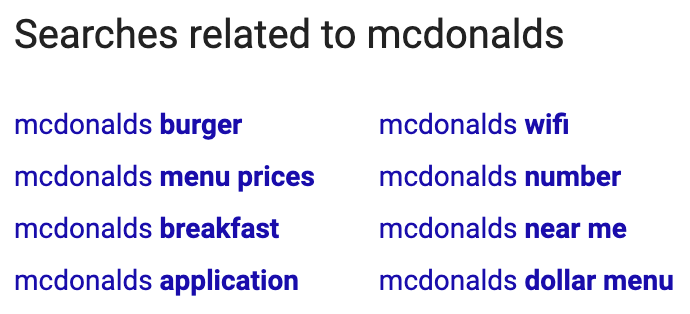
At the bottom of each search result, Google usually suggests other search queries related to the current query. These suggestions are returned by the API as a related_searches array.
Response Objects:
Object
Description
query
Returns the related search query.
url
Returns a URL to the related search query result.
Related Questions
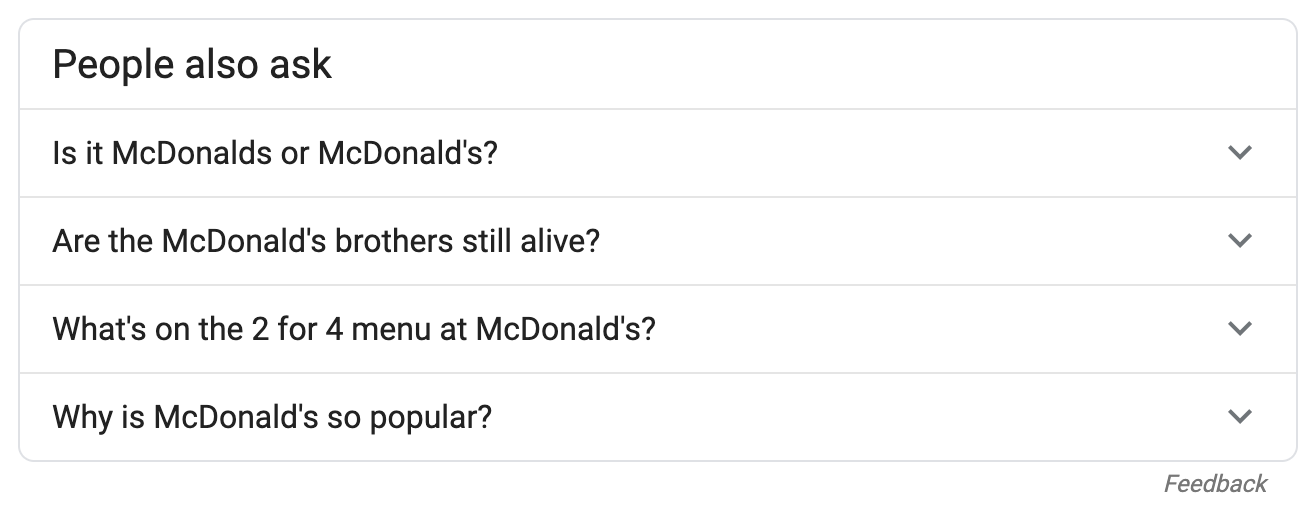
For many search queries Google provides an additional set of frequently asked questions related to the search term. These related questions are returned by the API as a related_questions array.
Response Objects:
Object
Description
question
Returns the related question text.
answer
Returns the answer to the related question.
title
Returns the title of the source of the answer to the related question.
url
Returns the actual URL of the source of the answer to the related question.
displayed_url
Returns the displayed URL of the source of the answer to the related question.
Related Places
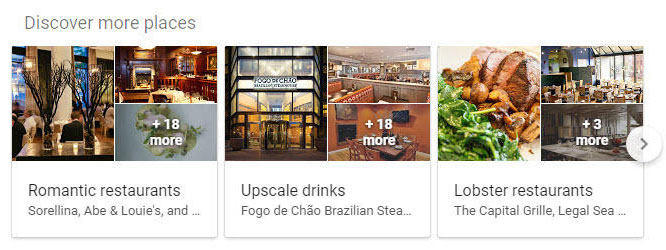
If there are any places (e.g. restaurants) relevant to your search query, Google will return those as part of a "Discover more places" section. This section is returned by the API as a related_places array.
Response Objects:
Object
Description
url
Returns the Google URL associated with the given related place result.
title
Returns the category associated with the given related place result.
places
Returns names of places (e.g. restaurants) that match the category of the given related place result.
image_urls
Returns an array of image URLs associated with the given related place result.
Pagination
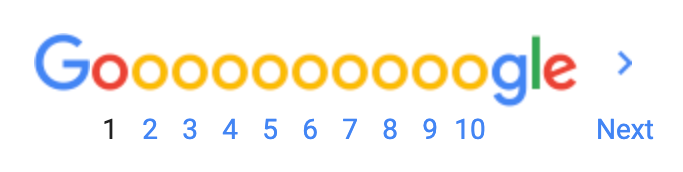
The API does not stop at page 1 of Google, the upcoming nine pages are listed along with URLs in the API's pagination response object.
Response Objects:
Object
Description
current_page
Returns the current page as an integer.
next_page_url
Returns the URL leading to the next page.
other_page_urls
Returns the URLs to at least nine upcoming pages.